PUBLIC INDEX legacy zcourts.com ZCOURTS - VOL. 02
LONDON - 2026
Setup SVN for your team
Okay,as discussed earlier we will be using SVN as our version controller system.
Static article
Imported body
Legacy aliases
Article archive
FIG. 02
notes
surface
research
surface
Article
app model
publish
surface
Imported writing rendered as native Fission Markdown content.
SECTION
Source and context.
The static release keeps the original post body locally while the backend content pipeline is still being built.
legacy
archive
tutorials
Published 2011-01-12 on legacy zcourts.com. Estimated reading time: 1 min.
Original routes are preserved as local aliases so older links keep resolving to this static archive.
Okay,as discussed earlier we will be using SVN as our version controller system.
Download tortise svn from http://tortoisesvn.net/downloads.html
Install it and restart....
Create the folder to store all the project documents, the folder must be empty.
Right click on the folder and click SVN checkout
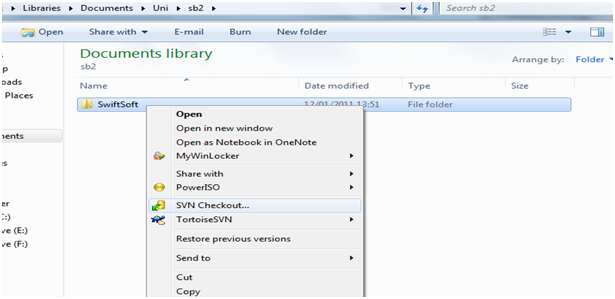
Enter http://svnurl.com as the SVN server URL.[image: /assets/legacy/2011-01-12-setup-svn-for-your-team/011211_2212_setupsvnfor2.png]
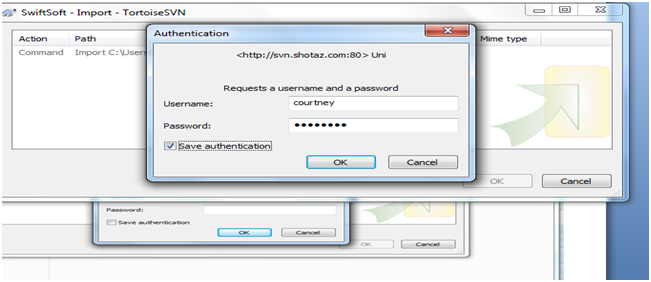
Click okay and enter your login details
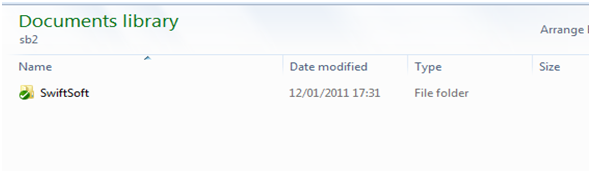
When it's done click okay. There should now be a green tick on the folder icon. This means that the files were checked out properly...
After you have made changes to your files the green tick changes to the read icon on the folder below.
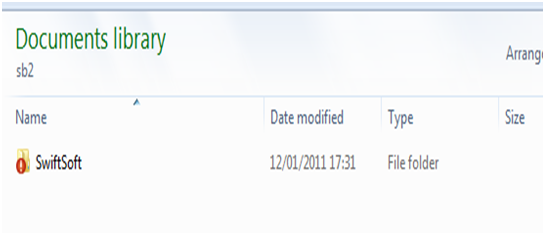
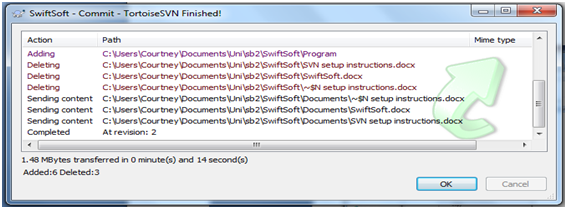
To make your changes available to everyone in the team right click on the folder and click SVN Commit.
[image: /assets/legacy/2011-01-12-setup-svn-for-your-team/011211_2212_setupsvnfor71.png]
That will push your changes to the server.
YOU MUST COMMIT YOUR CHANGES IN ORDER FOR THE REST OF THE TEAM TO SEE IT.
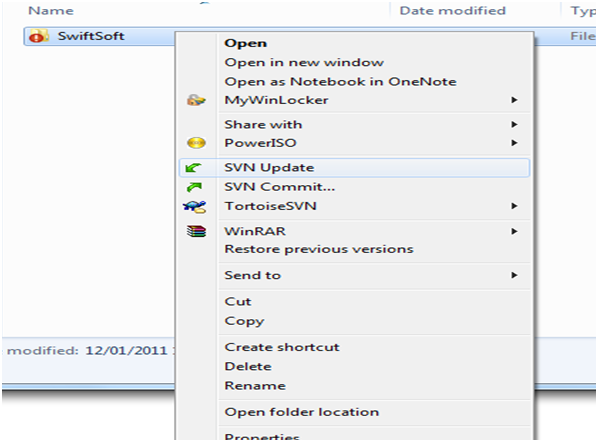
Once someone has updated the repository, in order for you to get the changes the rest of the team has made you need to right click on the folder and then click update to update your local version of the files. Aseen below
SECTION
Related writing.
More imported posts from the current and legacy zcourts archives.
2026-08-24
Keldra: Git at any scale, on your own infrastructure
Git does not need a distributed filesystem or a distributed reimplementation of Git. Keldra stores immutable repository history, publishes it through one exact compare-and-swap, and treats native Git repositories as disposable execution caches.
2026-04-09
Should you write your own database?
We run a data pipeline that ingests very large product snapshots, turns them into downstream feed artifacts, and then keeps those feeds fresh with smaller incremental updates. The pipeline has a weekly "start from a new baseline" phase a...
2026-02-13
AI, Energy, and the Infrastructure Cycle: What Rising Power Bills Tell Us About the Next Economic Phase
For many households in the UK, the story begins not with artificial intelligence, but with a monthly or quarterly energy bill.