PUBLIC INDEX legacy zcourts.com ZCOURTS - VOL. 02
LONDON - 2026
Android debugging over bluetooth (without root)
So I'm on a train to Reading and wanted to continue working on an app I've been hacking at but my USB cable is annoyingly inconvenient and Ubuntu keeps throwing a fit because I haven't been able to configure it to proper...
Static article
Imported body
Legacy aliases
Article archive
FIG. 02
notes
surface
research
surface
Article
app model
publish
surface
Imported writing rendered as native Fission Markdown content.
SECTION
Source and context.
The static release keeps the original post body locally while the backend content pipeline is still being built.
legacy
archive
adb
android
android-wireless-deployement
bluetooth
bluetooth-debug
no-root
tcp-debugging
tcpip
Published 2013-07-19 on legacy zcourts.com. Estimated reading time: 2 min.
Original routes are preserved as local aliases so older links keep resolving to this static archive.
So I'm on a train to Reading and wanted to continue working on an app I've been hacking at but my USB cable is annoyingly inconvenient and Ubuntu keeps throwing a fit because I haven't been able to configure it to properly handle MTP enabled devices. To get debugging going here's what I've just done.<!-- more -->
Connect the phone via USB and from the terminal enter (to run adb in tcp ip mode)
adb tcpip 4455
Now on the phone enable debugging from Settings -> Developer options -> enable debugging.
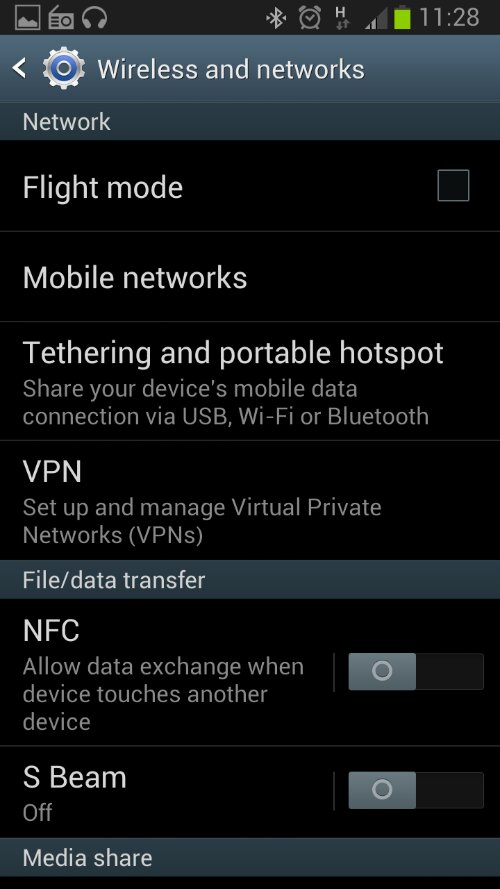
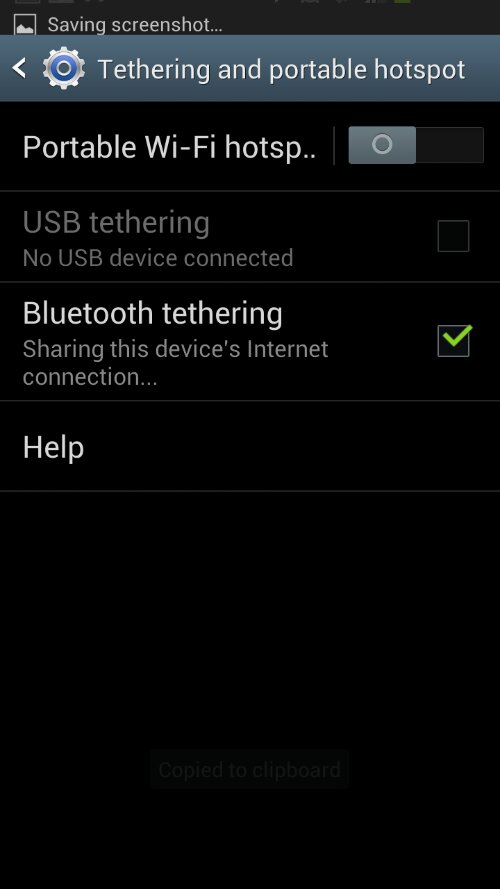
Next enable bluetooth and pair the phone with the laptop. Once paired, unpair the two and on the android device go to Settings -> Tethering and portable hotspot then enable "Bluetooth tethering"
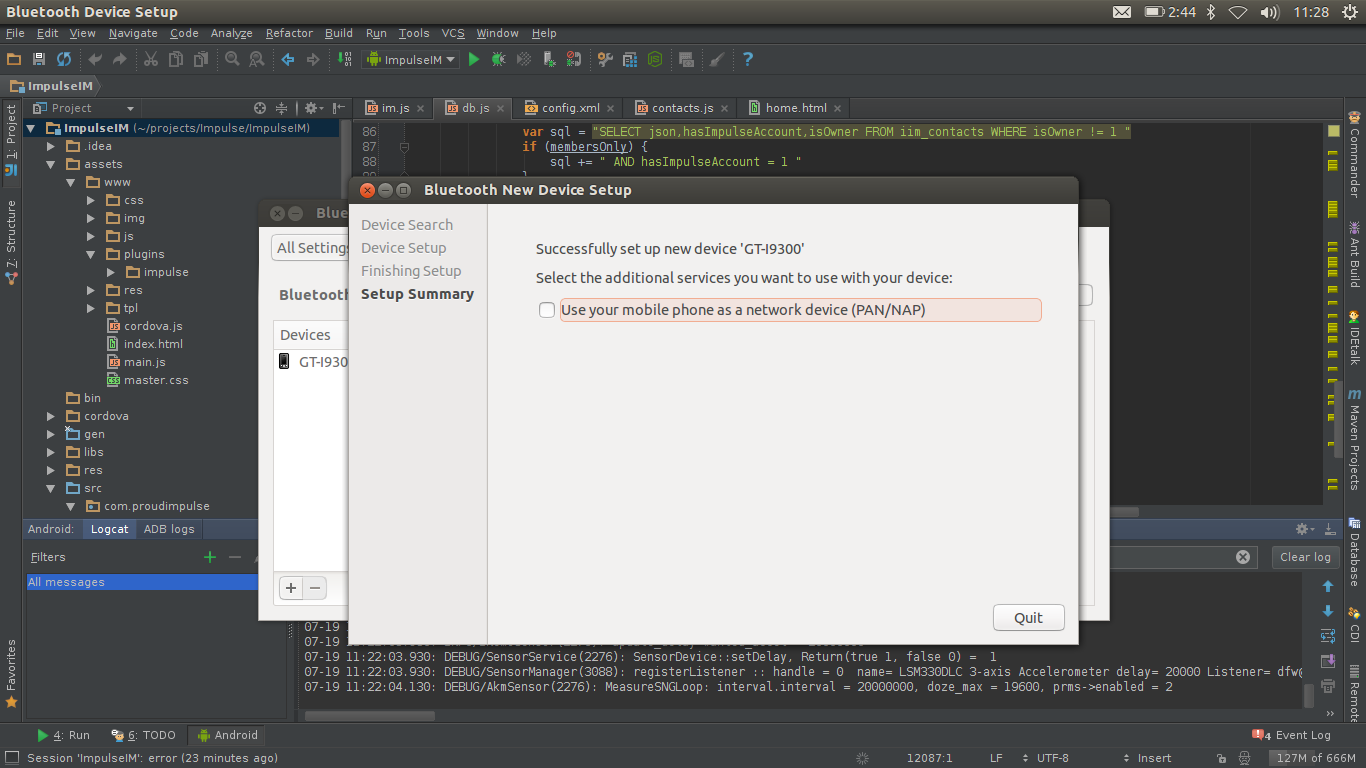
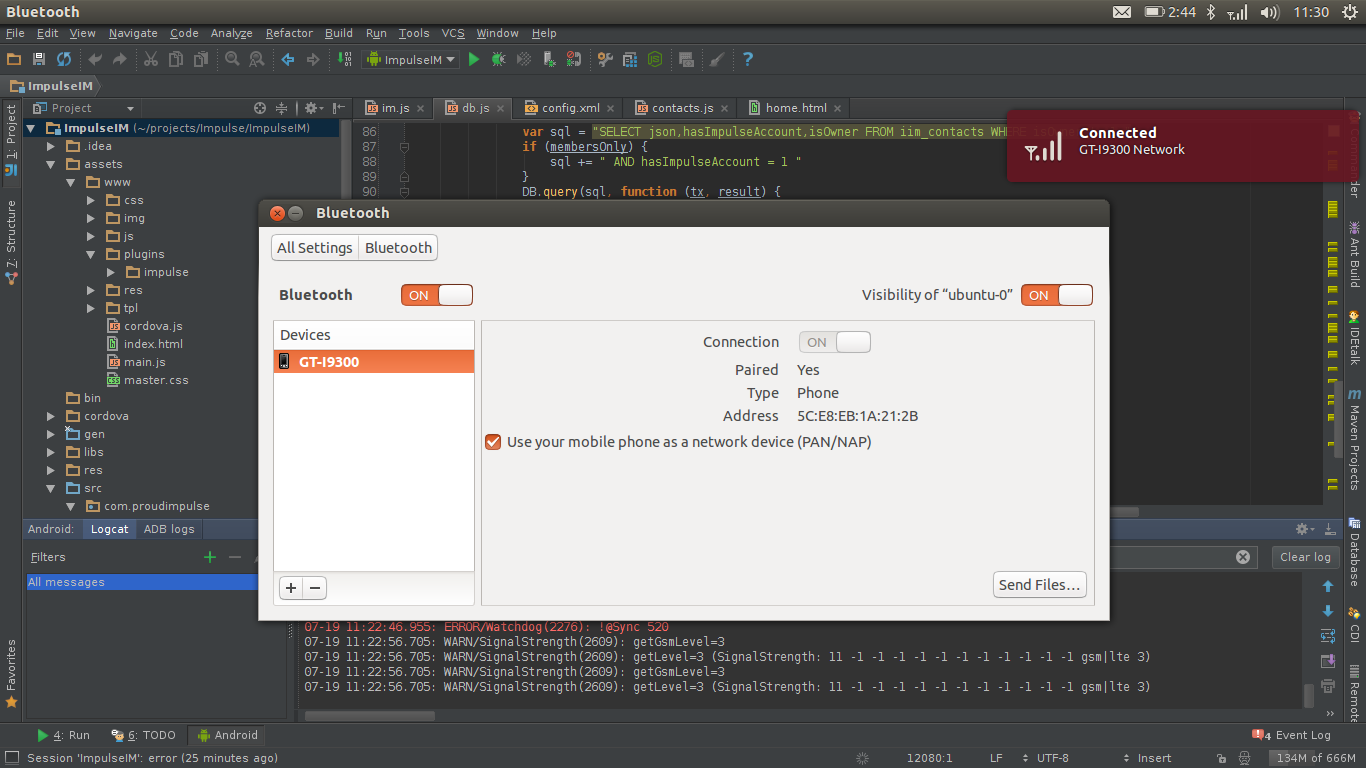
Now go back to settings -> Blutetooth and repair the device with the laptop.
On Ubuntu click your network icon in the task bar to list the available networks
In Ubuntu click the network icon again after successfully connecting to the bluetooth network and click "Connection information" towards the bottom.
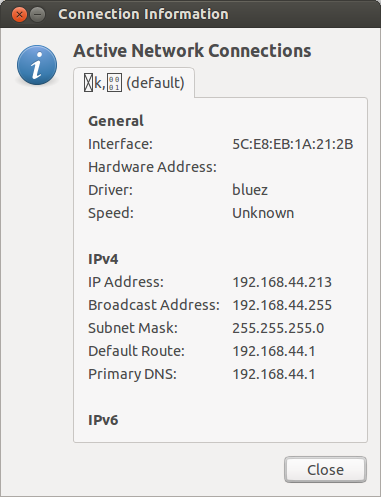
From the window that opens, note the Primary DNS IP. Copy it, write it down, whatever you need to but you need it for the next step.
Now from the command line again enter:
adb connect 192.168.44.1:4455
That should produce
connected to 192.168.44.1:4455
Now if you're using Eclipse, Intellij or any other IDE with adb support you can look at logcat to start seeing logs from the device:

From here on you can deploy your App to the device and/or debug it without a USB. And obviously each time just pair the devices and reconnect. You won't have to repeat all the steps - just those two.
Below are a series of screenshots that might help. They're in no particular order, I'm writing this post on the train and taking screenshots on the phone and laptop and uploading from both directly to the same post so it is what it is but should hopefully still be useful.
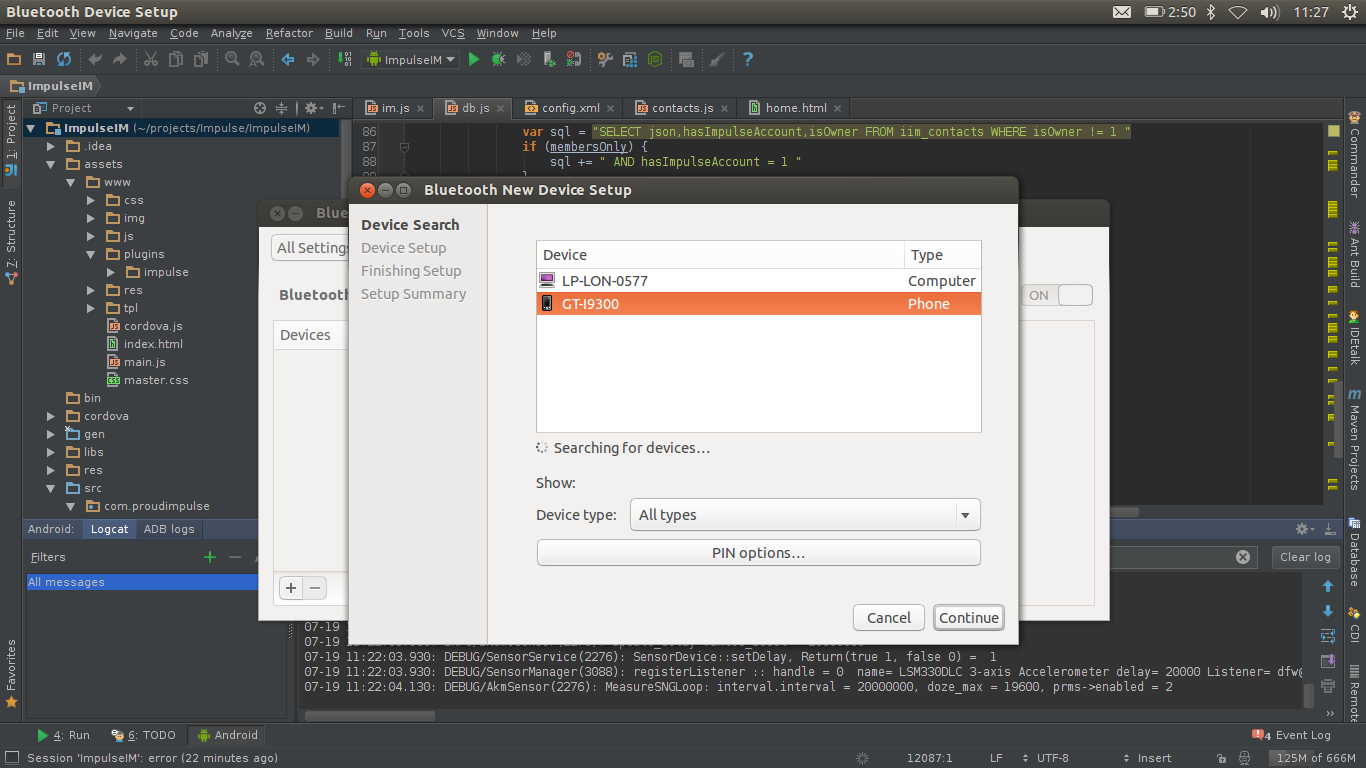
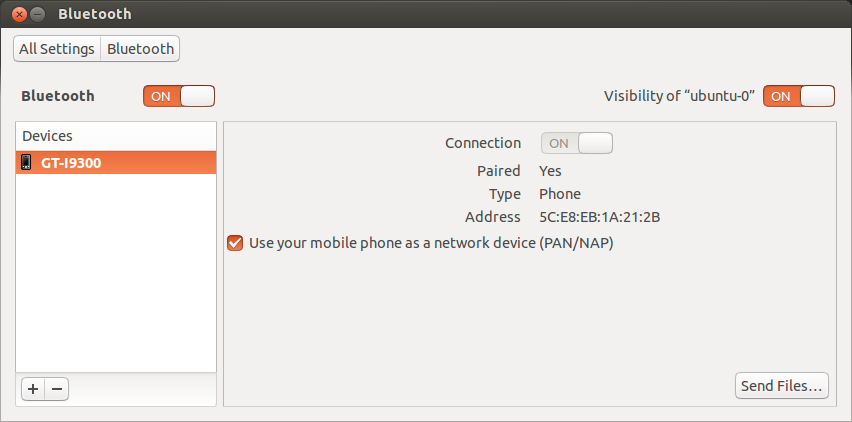
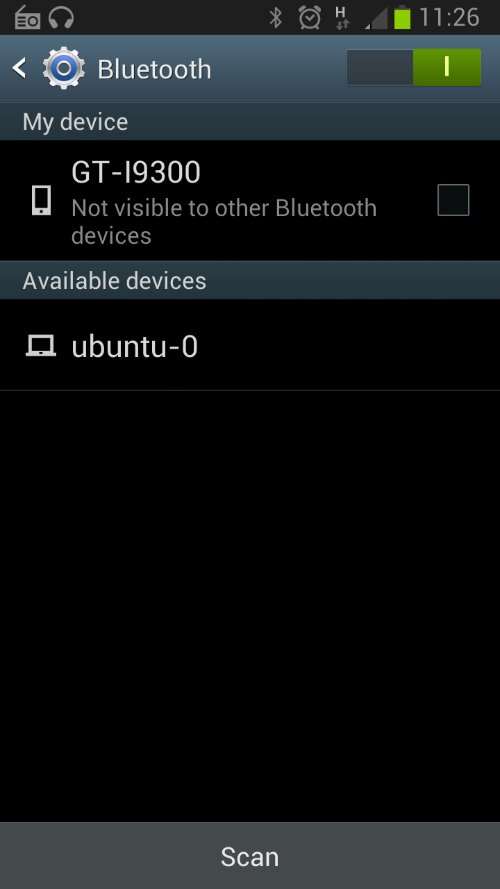
Any questions, suggestions, feel free to ask.
SECTION
Related writing.
More imported posts from the current and legacy zcourts archives.
2026-08-24
Keldra: Git at any scale, on your own infrastructure
Git does not need a distributed filesystem or a distributed reimplementation of Git. Keldra stores immutable repository history, publishes it through one exact compare-and-swap, and treats native Git repositories as disposable execution caches.
2026-04-09
Should you write your own database?
We run a data pipeline that ingests very large product snapshots, turns them into downstream feed artifacts, and then keeps those feeds fresh with smaller incremental updates. The pipeline has a weekly "start from a new baseline" phase a...
2026-02-13
AI, Energy, and the Infrastructure Cycle: What Rising Power Bills Tell Us About the Next Economic Phase
For many households in the UK, the story begins not with artificial intelligence, but with a monthly or quarterly energy bill.